Open Source · macOS · MIT
Pick Print@™ in any Print dialog. It finds you, finds the best nearby print shop for your job, and sends it — closest, cheapest, or open right now.
$ curl -fsSL https://printat.co/install.sh | bash
Pick Print@™ in any Print dialog. It finds you, finds the best nearby print shop for your job, and sends it — closest, cheapest, or open right now.
No new app to learn. It lives exactly where printing already lives — the Print dialog of every app on your Mac.
Choose Print@ Nearby, or a saved shop like “Print@ Staples.” Set what matters: price, turnaround, open now, closest.
It locates you, searches every network and local shop, checks hours and prices with AI, and shows the best match with the cost.
The PDF is emailed to the shop or the kiosk, a pickup code comes back, and you walk in and grab it. Often free at hotels.
Most people just want the printer to work. Install the driver, connect it to Print@, and you're done — nothing else to set up.
One command — printat connect — and a link to your inbox. From then on jobs dispatch through the network: sent from a Print@ address, Print@ Network shops with real pickup codes, nothing to configure. Your files and the AI ranking still run on your Mac.
Skip the connect step and nothing but the print job leaves your machine — orders send from your own email. Flip between the two any time. Connecting is a default you can turn off, never a required middleman.
Open Terminal, paste this, and answer the one password prompt. It clones the open-source driver into ~/printat, builds the helpers, and registers Print@ Nearby as a printer in every app.
macOS with the Xcode Command Line Tools (xcode-select --install), Node.js 22+ and git. Windows & Linux ports are started — help wanted.
printat connect you@email sends a link to your inbox. Click it and jobs dispatch through the Print@ cloud with pickup codes. Skip it to stay fully local.
git clone https://github.com/AnthonyDavidAdams/print-at ~/printat then sudo ~/printat/install.sh. The installer is short bash you can read first. Uninstall with ~/printat/uninstall.sh.
Chains, kiosks, independents, hotel business centers, libraries and airport lounges — Print@ speaks to all of them, and picks between them for you.
Sent to their central email-to-print, released at any kiosk with a code.
The lobby printer thirty feet away is often closest — and free for guests.
Email a PDF, get a barcode, print at the machine. Office Depot, campuses.
The independent two blocks over that no network app can see. Found on the map, ranked too.
Verifies today's hours, real prices and how each shop takes files, then ranks.
The driver is MIT and runs on your Mac. Use our cloud for a zero-setup experience, or self-host and send from your own email. Windows & Linux ports are started — help wanted.
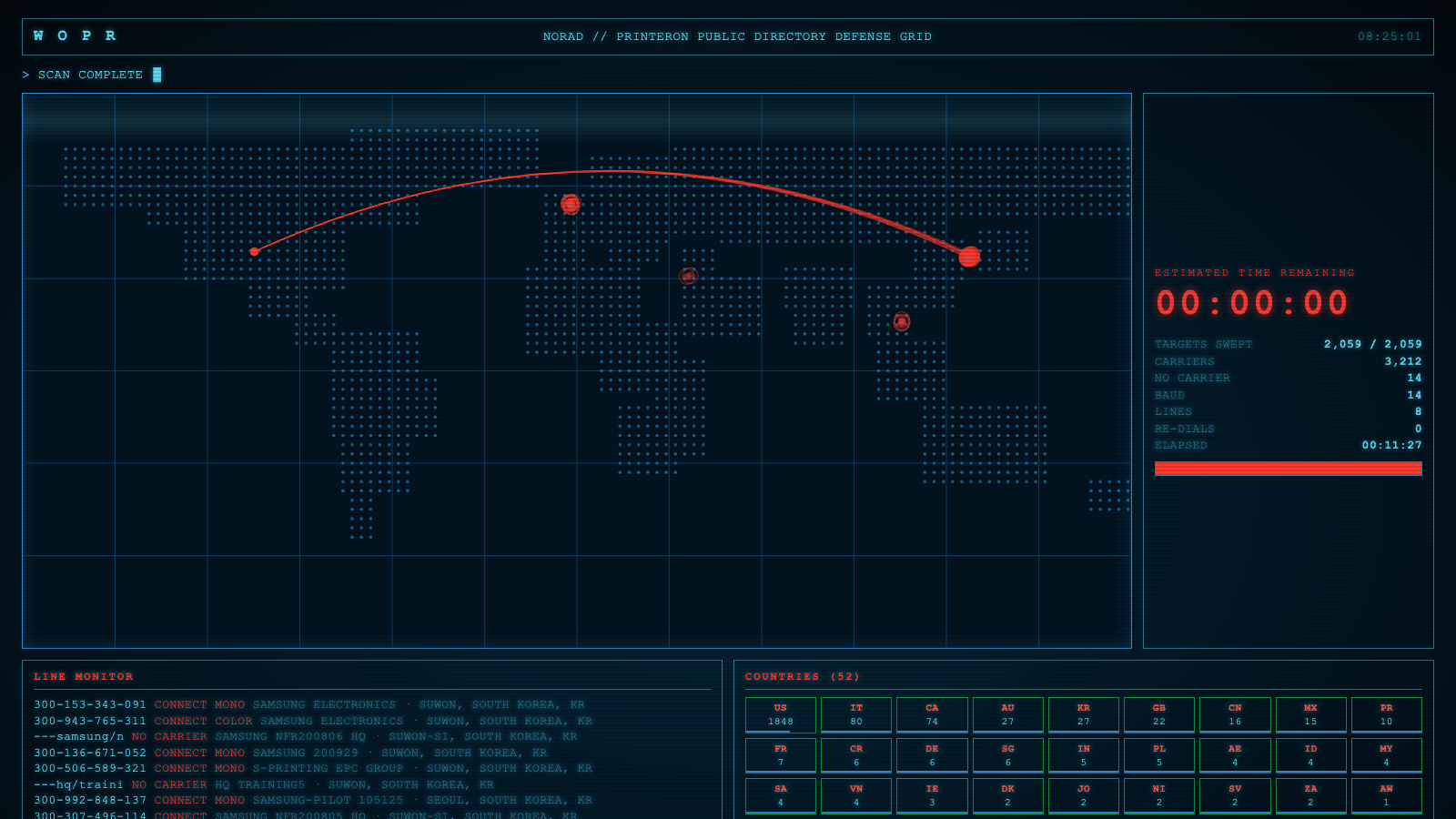
We war-dialed the entire PrinterOn and PrintMe networks so you don't have to — 5,000+ locations across 53 countries. The whole directory ships bundled and cached, so nearby printers appear instantly and your Mac never dials a thing.
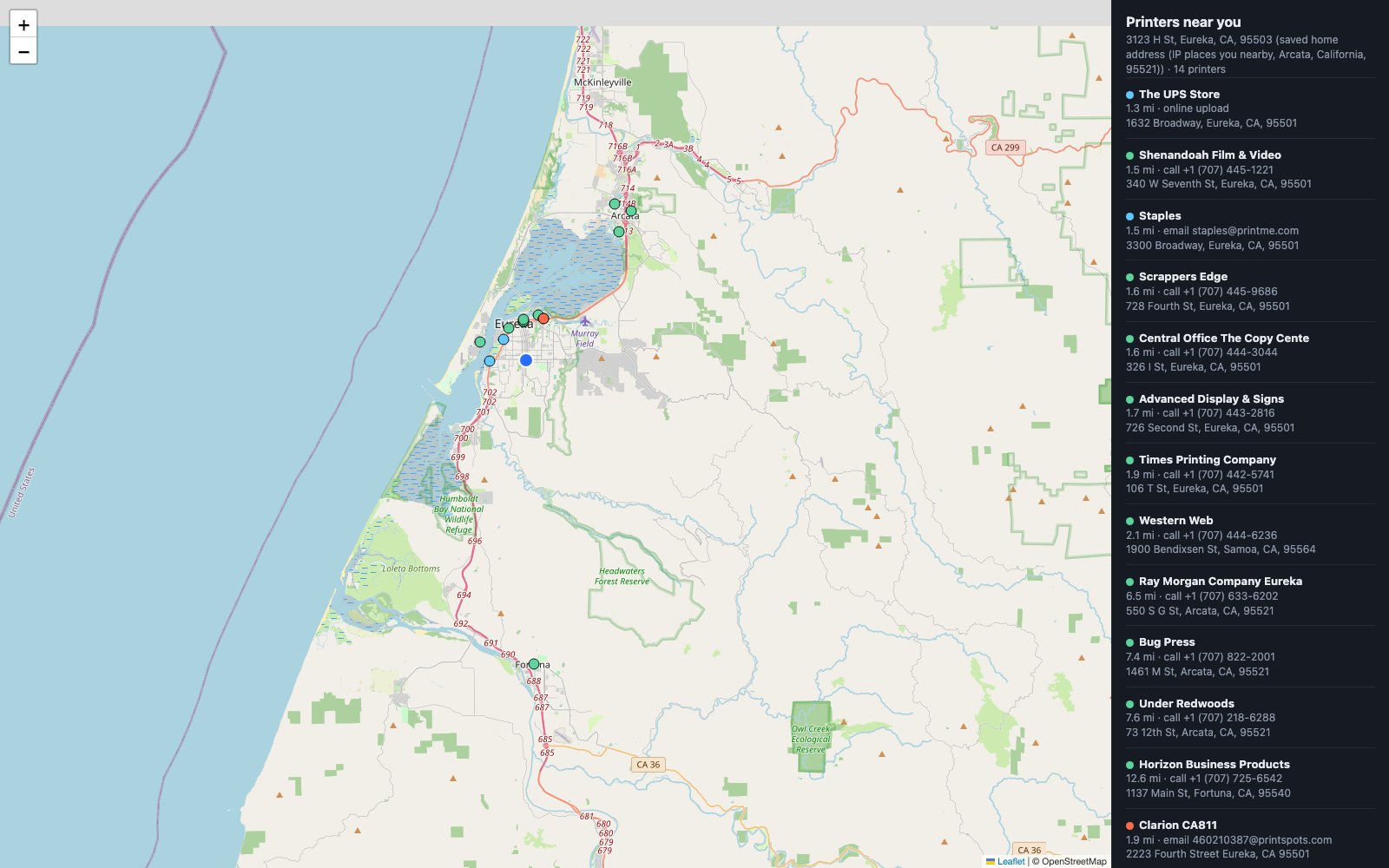
See what's around you at a glance — PrinterOn, PrintMe, chains and local shops, color-coded, with the address and exactly how the job would be sent.
Print@ aggregates the networks that only cover chains, hotels and libraries. Print@™ Network adds the places none of them touch — the local coffee shop, the small-town store. Any business with a printer and a browser can offer printing as a foot-traffic draw. No software to install: they print jobs right from a web page.
Choose a nearby shop, send your files, get a pickup code. Rate the shop after.
List your hours and prices, print jobs from your browser, take a small fee at the counter.
The network is a service we host. Sign up in a minute — no server, no install.

Have a printer? Scan the code or tap below to turn it into profit — customers and sales, set up in a minute. It's free.
The macOS driver is free and open source. The web portal and shop network are a hosted service we run.
Print@ is an independent, open-source project and is not affiliated with, endorsed by, or sponsored by FedEx, Staples, Office Depot, The UPS Store, PrinterOn, PrintMe/EFI, or any hotel or library. All product names, logos and brands are property of their respective owners and are shown only to describe compatibility.
Print@ ships an MCP server, so any AI agent (Claude, or your own) can find a print shop, send a document, and hand back a pickup code — printing into the physical world, on its own.
Nearby shops with prices, hours and ratings.
Send a file to a shop, get a 6-digit pickup code back.
Queued, in progress, or ready to collect.
"Print my boarding pass at a shop near the airport." — the agent does the rest.
This whole project — the driver, the directories, the two-sided network, this site — came out of EarthPilot's 90-Day AI Accelerator. Learn to ship real software with AI, fast.
Join the 90-Day AI Accelerator